

Hardware
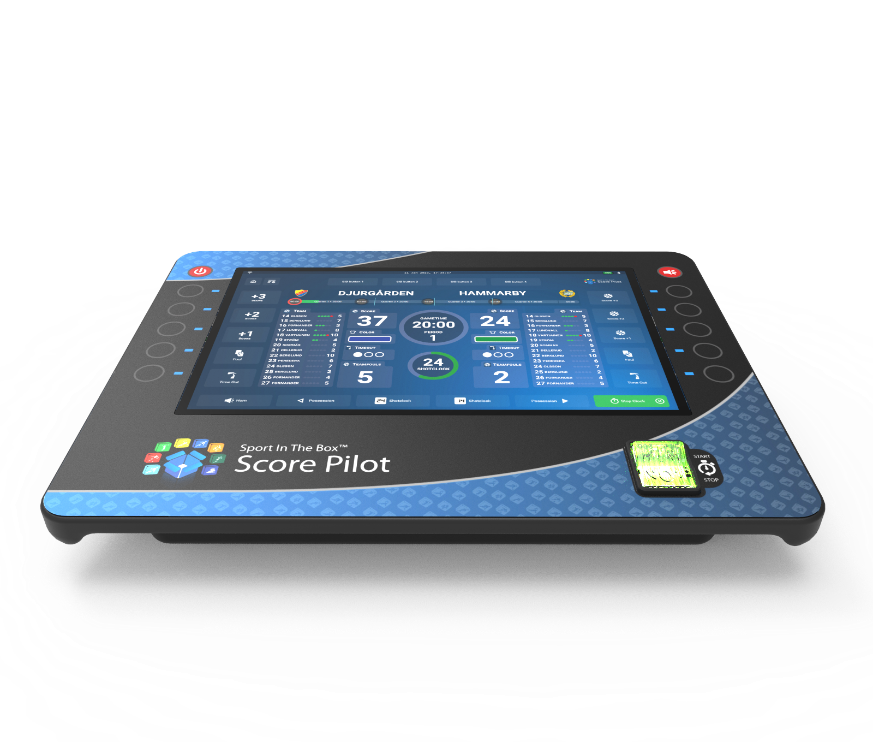
| 1 | Touch screen | Main input device |
|---|---|---|
| 2 | Power button | Power on: Press Once Force off: Long press > 10 seconds |
| 3 | Horn button | On press, will always sound horn on XLR output and configured data outputs |
| 4 | Start/stop button | Start and stop time. Will always work even if user is not in active game screen. Button is green when time is running and red when time is stopped. |
| 5 | 10 Software buttons | Placed on both sides of the screen, these buttons lets you press the indicated button in game screen without using the touchscreen. |
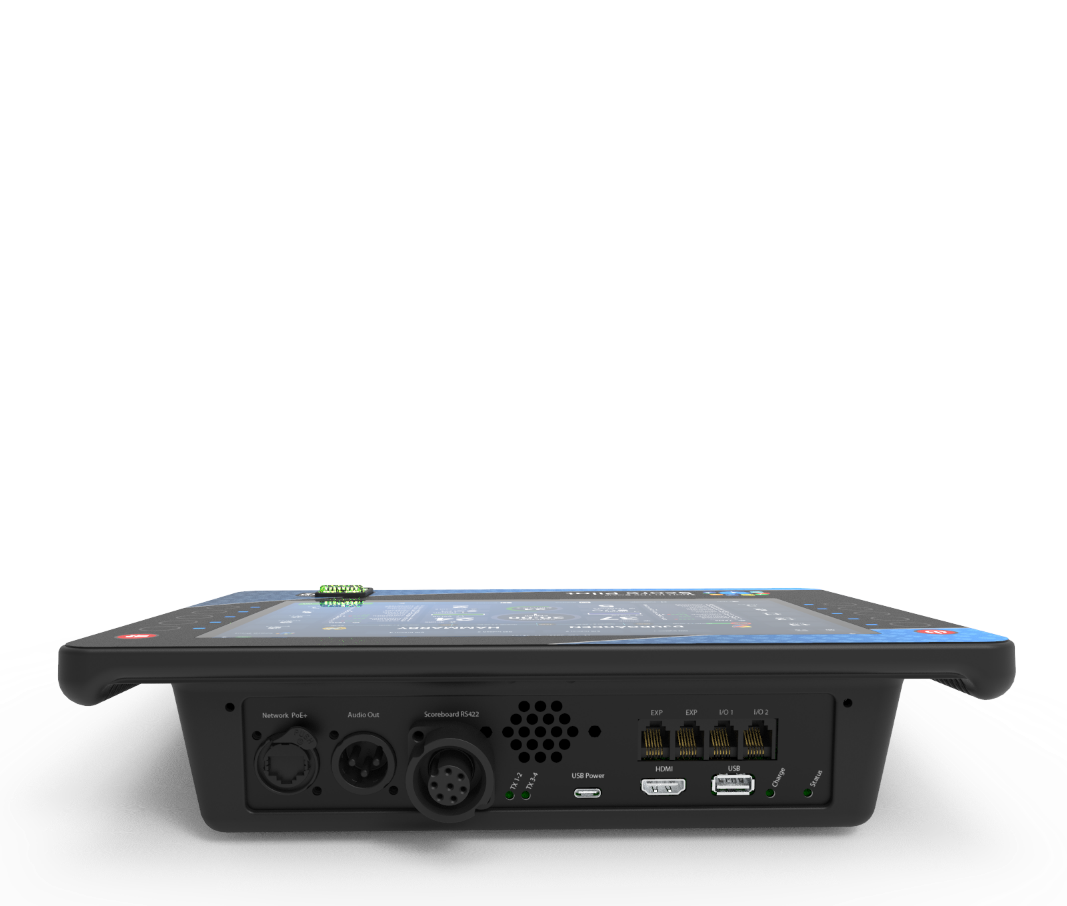
| 6 | Network port PoE+ | Network connection with Power Over Ethernet (PoE+) Neutrik Ethercon connector |
|---|---|---|
| 7 | Audio out XLR | Audio output for end of period horns |
| 8 | Scoreboard RS422 | Scoreboard RS422: Amphenol Ecomate 7pF connector Pin 3 Tx1-, Pin 4 Tx1+, Pin 5 Tx2-, Pin 6 Tx2+ |
| 9 | RS422 LEDs | Blinks when transmitting data |
| 10 | USB-C Power input | USB-C PD-Charger with 15V 2A or 12V 2A |
| 11 | HDMI output | 1280x720@50fps Scoreboard output in fullscreen |
| 12 | USB input | For loading images and teams, and for exporting/importing the unit's full configuration (sports, teams, outputs, images) with a USB memory stick |
| 13 | Charge LED | Red: Charging, Green: Battery Full |
| 14 | Status LED | Green: On/Running, Red: Low battery (start disabled) |
| 15 | EXP | External Interface for accessory 1 (RS485) |
| 16 | EXP | External Interface for accessory 2 (RS485) |
| 17 | I/O 1 | External Interface for accessory (2 in, 1 out) |
| 18 | I/O 2 | External Interface for accessory (2 in, 1 out) |
| 19 | Loudspeaker | Built-in speaker |