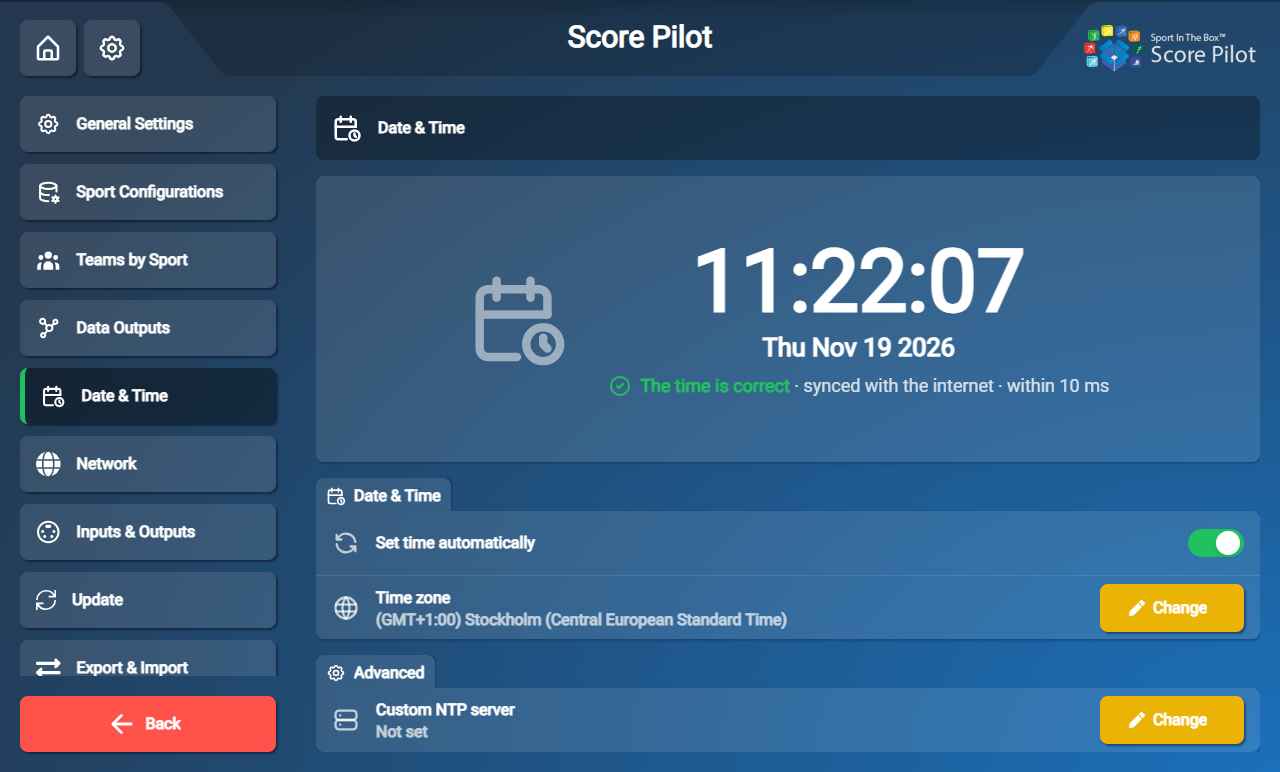

Date & Time
The Date & Time page shows the console’s clock and whether the time is correct. The line under the date says where the time comes from (the internet, the local network or a custom time server), or that it was set manually.
By default, Set time automatically is on and the console takes its time from the network. To set the time by hand, turn Set time automatically off, press Set next to Date and time, choose the date and time and confirm. The new time is used at once and is kept after a restart, until Set time automatically is turned on again. The time cannot be changed while the game clock is running.
Press Change next to Time zone to choose the time zone.
Under Advanced, Custom NTP server lets you enter your own time server (host name or IP address). Press Test to check that it answers, then Save. The console then prefers this server to its other time sources. The custom server is not used while the time is set manually.
If the console has been without power and the time may be wrong, the page says May be wrong. Press Set to check and confirm the time.